
Inventory optimization for small businesses is rarely about “better software.” It’s usually about reducing surprises: the fast seller that’s always out of stock, and the slow mover that quietly eats your cash and shelf space.
This guide gives you a practical system you can run with a spreadsheet and a phone: quick operational fixes, one useful formula (reorder point), and a short weekly KPI routine.
Start with the two costs you’re paying right now
Every inventory problem is a trade-off between stockouts (lost sales, angry customers, fire drills) and overstock (cash tied up, clutter, damage, obsolescence).
Overstock hurts more than most owners admit because holding inventory isn’t free. A common rule of thumb puts inventory carrying costs around 15-25% per year, and some estimates land in the 20-30% range depending on the business and what you include.
So if you’re sitting on an extra $50,000 of “just-in-case” stock, the quiet annual cost can be $7,500–$12,500 before you sell a single unit.
If your on-hand numbers are wrong, no formula will save you. Fix receiving, labeling, and basic counting first. Then optimize.
Quick wins (today) before you touch any formulas
Optimization starts with discipline. These changes don’t require new tools, just consistency.
Quick wins checklist
- Name every location:Even a small backroom should have labeled shelves, bins, and zones (A-01, A-02…). “Over there” is how inventory disappears.
- Label SKUs and locations:If you can’t scan it, you can’t trust it. Start with consistent SKU labels and location labels. See our barcode labeling best practices.
- Standardize receiving:Verify quantities, match the PO, and put items away to the right location before they hit the sales floor.
- Reduce duplicate SKUs:Two part numbers for the same item guarantees overbuying. Merge duplicates and pick one SKU to rule them all.
- Make adjustments intentional:Any stock adjustment should have a reason (damage, shrink, mis-pick, supplier short-ship). Otherwise you hide root causes.
- Do micro-counts weekly:Count 20 fast-moving SKUs every week. If you need a rhythm, use a lightweight cycle counting routine.
Reorder point: the one formula you actually need
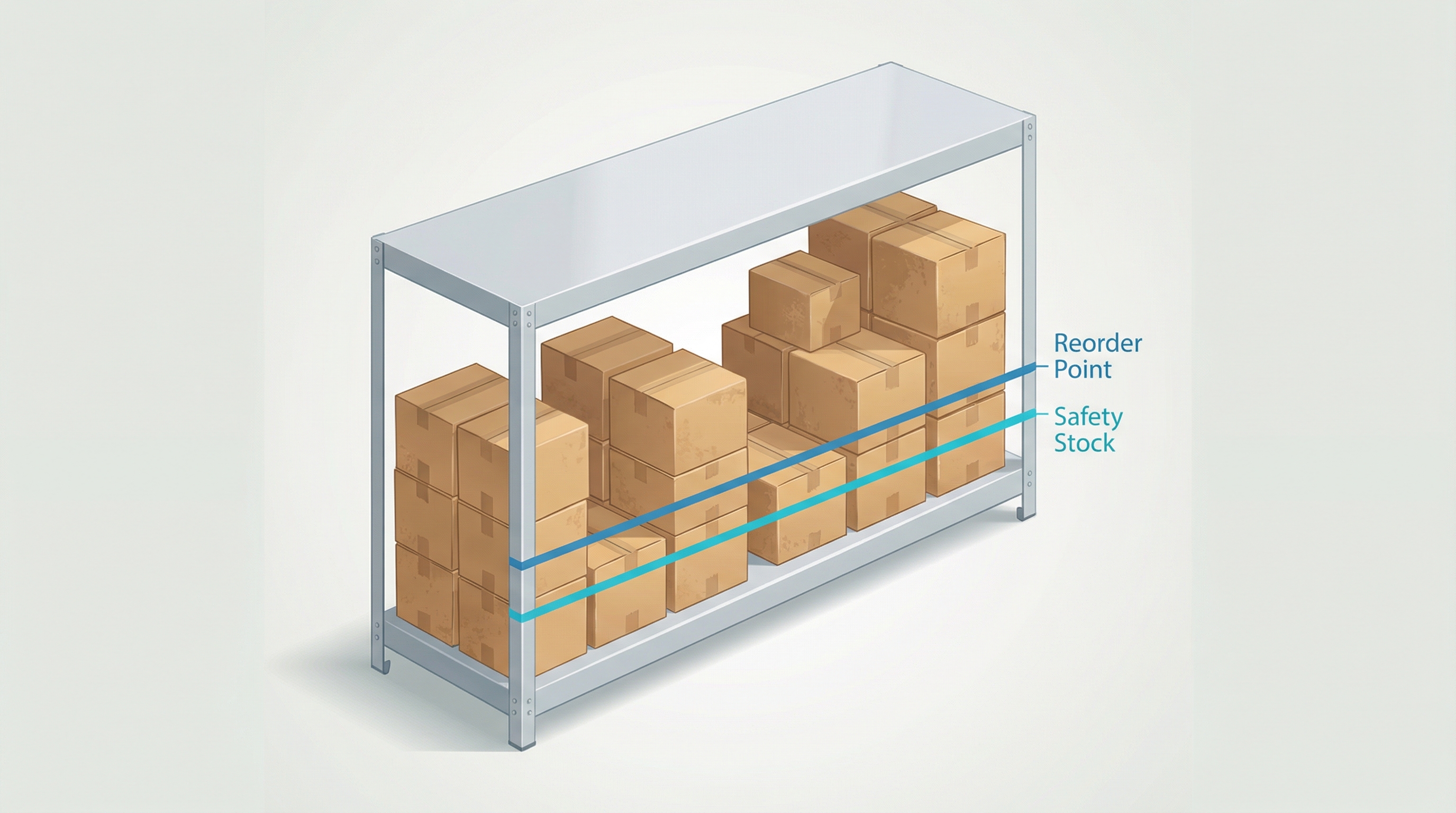
A reorder point answers a simple question: At what on-hand level should you place the next order so you don’t hit zero before it arrives?
ROP = (average daily usage × lead time in days) + safety stock.
Start with your best available data: last 30–90 days of sales/usage and your typical supplier lead time. You don’t need perfection; you need a baseline you can adjust.
Example (small numbers, real impact)
You sell 4 units per day. Your supplier lead time is 10 days. That’s 40 units of expected demand during lead time. If you keep 10 units as safety stock for late trucks and spiky demand, your reorder point is 50 units.
When your on-hand hits 50, you reorder. Not when you “feel low.”
Min/max: turn reorder points into a boring buying habit
A reorder point tells you when to order. Min/max tells you how much to order without overthinking.
Set Min = ROP. When on-hand ≤ Min, it triggers a purchase.
Set Max to cover one full order cycle plus lead time (or simply “how much you’re comfortable holding”). The order quantity is usually Max − on-hand (minus on-order if you track it).
If you order weekly, keep the weekly routine. Frequent small orders beat random big orders—especially for small teams and tight cash flow.
Days of cover: a simple KPI that catches trouble early
Days of cover (also called days inventory on hand) answers: How many days can you keep selling before this item runs out?
Days of cover = on-hand ÷ average daily usage. If you prefer the accounting version, days sales of inventory (DSI) is a closely related metric.
If demand is lumpy (weekends, seasonal spikes), use a weekly average and sanity-check with your next big promo or busy period.
The weekly KPI routine (5 numbers)
Inventory optimization works when you treat it like a weekly health check, not a quarterly project.
Count a small sample (20 SKUs). Accuracy % = correct counts ÷ total counted. If accuracy drops, stop optimizing and fix process.
How many SKUs hit zero while there was demand? One stockout might be bad luck. Repeating stockouts mean broken reorder points or unreliable lead times.
A short “below reorder point” list is the whole point. Review it weekly, place orders, and move on.
Inventory with no movement in 90+ days is not an asset; it’s a cash trap. Review monthly and decide: discount, bundle, return, or write off.
Track whether suppliers hit promised dates. If lead time is unstable, your safety stock must be higher—or you need a better supplier.

Common pitfalls that make “optimized” inventory worse
- Ignoring on-order stock: If you reorder without accounting for inbound POs, you will overbuy.
- MOQs and case packs: Your reorder point might say “buy 12,” but your supplier forces “buy 48.” Adjust Max and plan promotions or substitutions.
- Too many SKUs: Every extra variant multiplies forecasting and counting work. Prune aggressively.
- No location discipline: If items bounce between shelves, your system becomes fiction.
- Never reviewing parameters: Reorder points are not “set and forget.” Review top sellers monthly and slow movers quarterly.
Tools that fit a small team
- Spreadsheet baseline: Track SKU, supplier, lead time, average daily usage, ROP, Min, Max, and days of cover.
- Barcode-first workflows: Print SKU and location labels so receiving and picking are scan-driven, not memory-driven. If you need a free label generator, try LabelCodes.com.
- Mobile scanning: A phone-based scanner is often enough for small teams—especially for receiving, adjustments, and quick cycle counts.
Next step: optimize your top 20 SKUs first
Don’t try to optimize everything. Pick your top 20 SKUs by sales, clean up their locations and labels, set a basic reorder point, and start the weekly KPI routine.
Your 30-minute Monday routine
- Spot count 20 SKUs:Fix obvious on-hand errors before you buy.
- Review below-ROP list:Place the few orders that prevent the next stockout.
- Check lead times:Update any supplier that has drifted (late deliveries change everything).
- Flag dead stock:Choose one action (discount, bundle, return) and execute it.